
How to buy CELO in seconds with MiniPay

How to buy CELO with MiniPay
Buy and sell CELO in seconds with Buy CELO Mini App on MiniPay, powered by Squid. MiniPay is a self-custodial wallet built on Celo where users can buy assets and send stablecoins across the world, enabling borderless transactions for over 60 countries and 14m+ users worldwide.
And now you can buy and sell CELO directly with MiniPay. Here’s how:
Step 1 - If you haven’t already downloaded the MiniPay app, you can do that below:
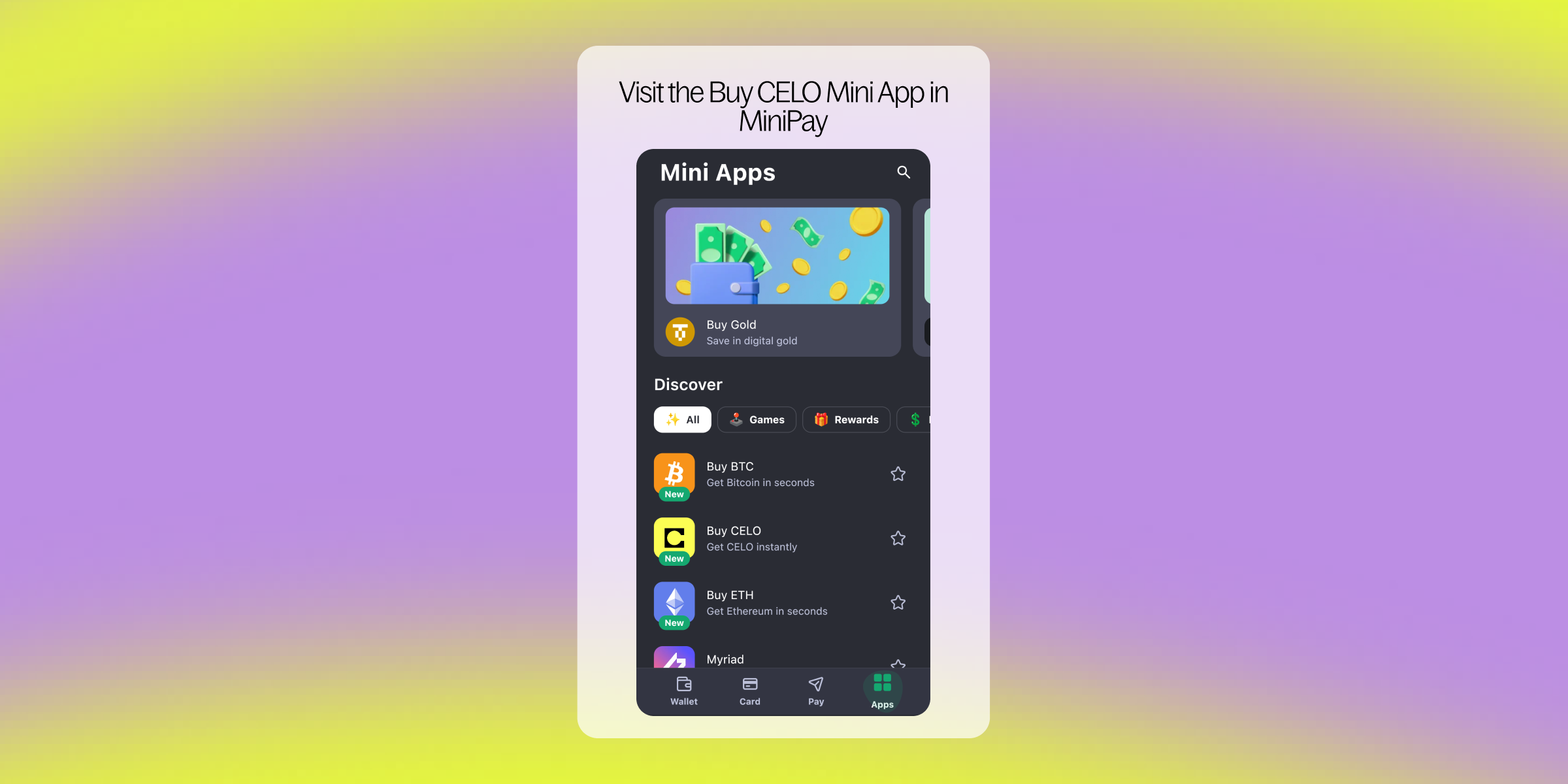
Step 2 - Once you’ve downloaded MiniPay on your mobile device and created an account, you can find the “Buy CELO” Mini App in the “Apps” section.
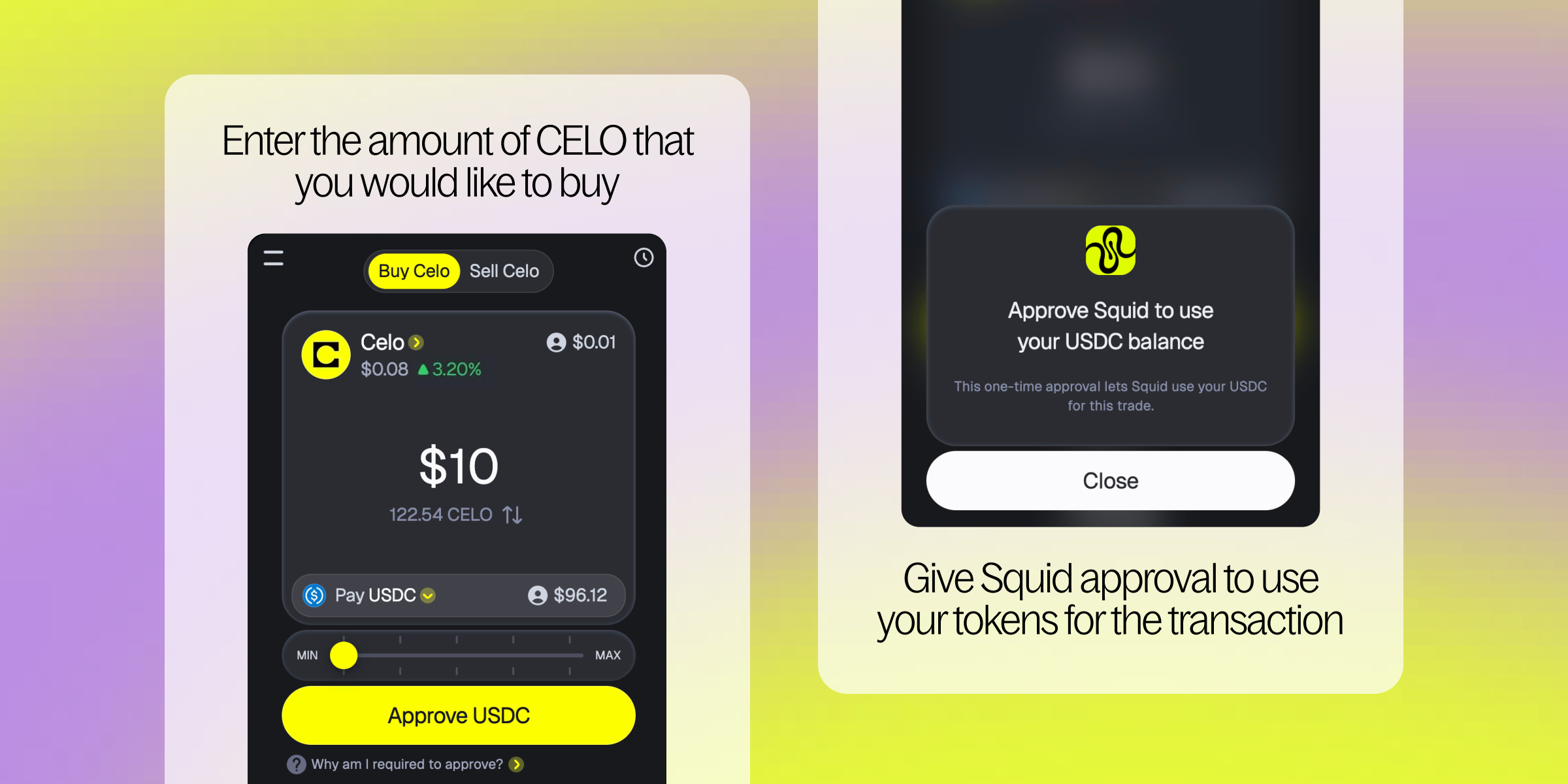
Step 3 - Enter the amount of CELO that you would like to buy. You will need to give Squid approval to use USDC (or the stablecoin of your choice) for the transaction.
Step 4 - Click “Buy” to purchase CELO. You’ll receive a notification that your CELO is on its way, and will be notified once it reaches your account.
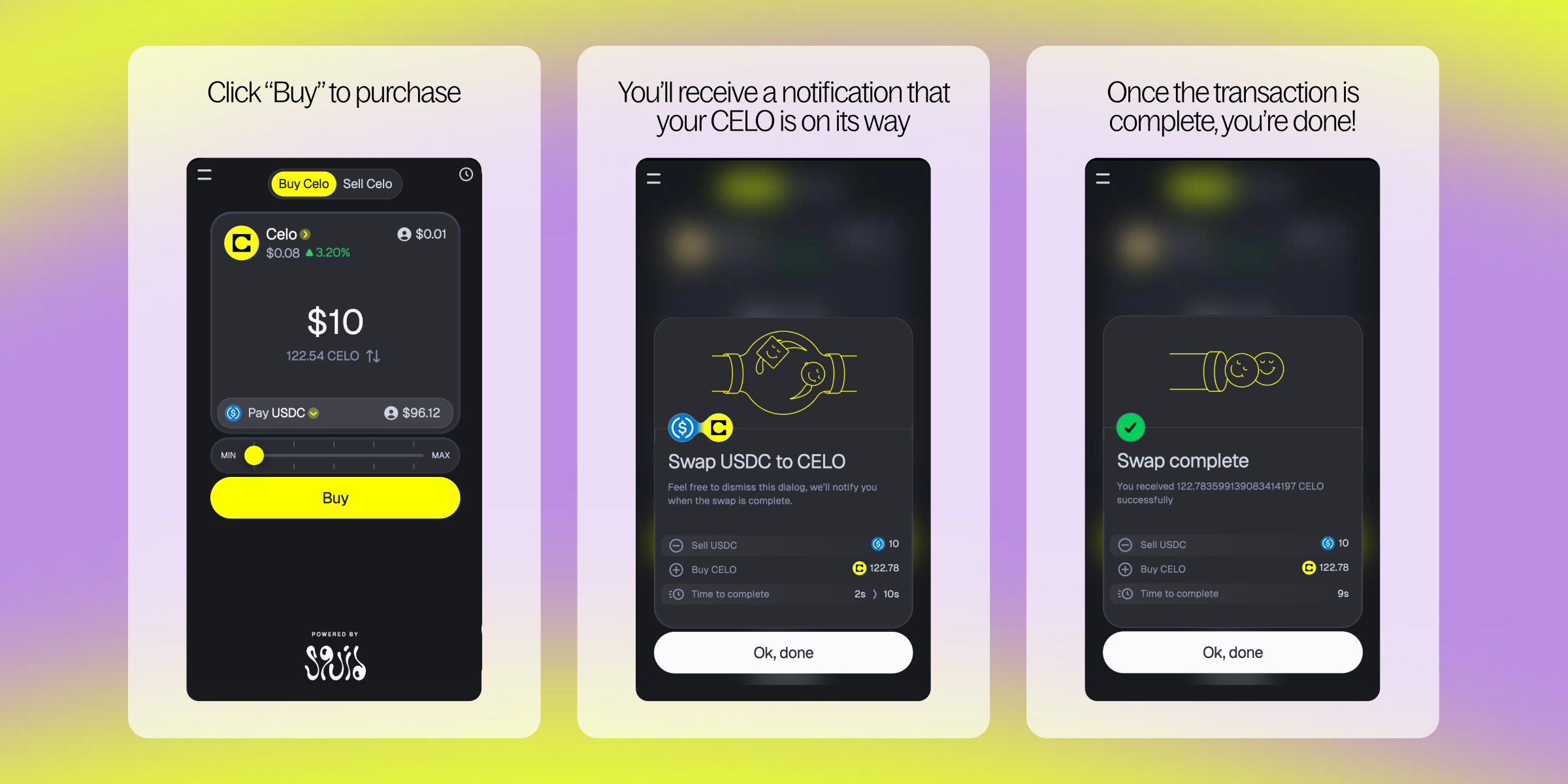
Congratulations, you’re officially a CELO stakeholder! Your CELO balance is now available to view and manage in the Buy CELO Mini App.