
How to Transfer XRP Between Crypto Wallets
2025-06-30
What You’ll Need
•
An activated sender wallet. The sending wallet must already hold the 1 XRP reserve; the receiving wallet can be brand‑new.
•
Recipient address. Copy it carefully!
•
Fee headroom. Keep at least 1 XRP above the reserve in the sender wallet; each transfer costs ~0.000012 XRP.
Double‑check addresses: A single wrong character sends funds to the wrong place forever.
Fees & Timing
•
Fee: ~0.000012 XRP (basically free).
•
Speed: 3–5 seconds; the balance updates almost instantly.
Steps: Crossmark → Xaman
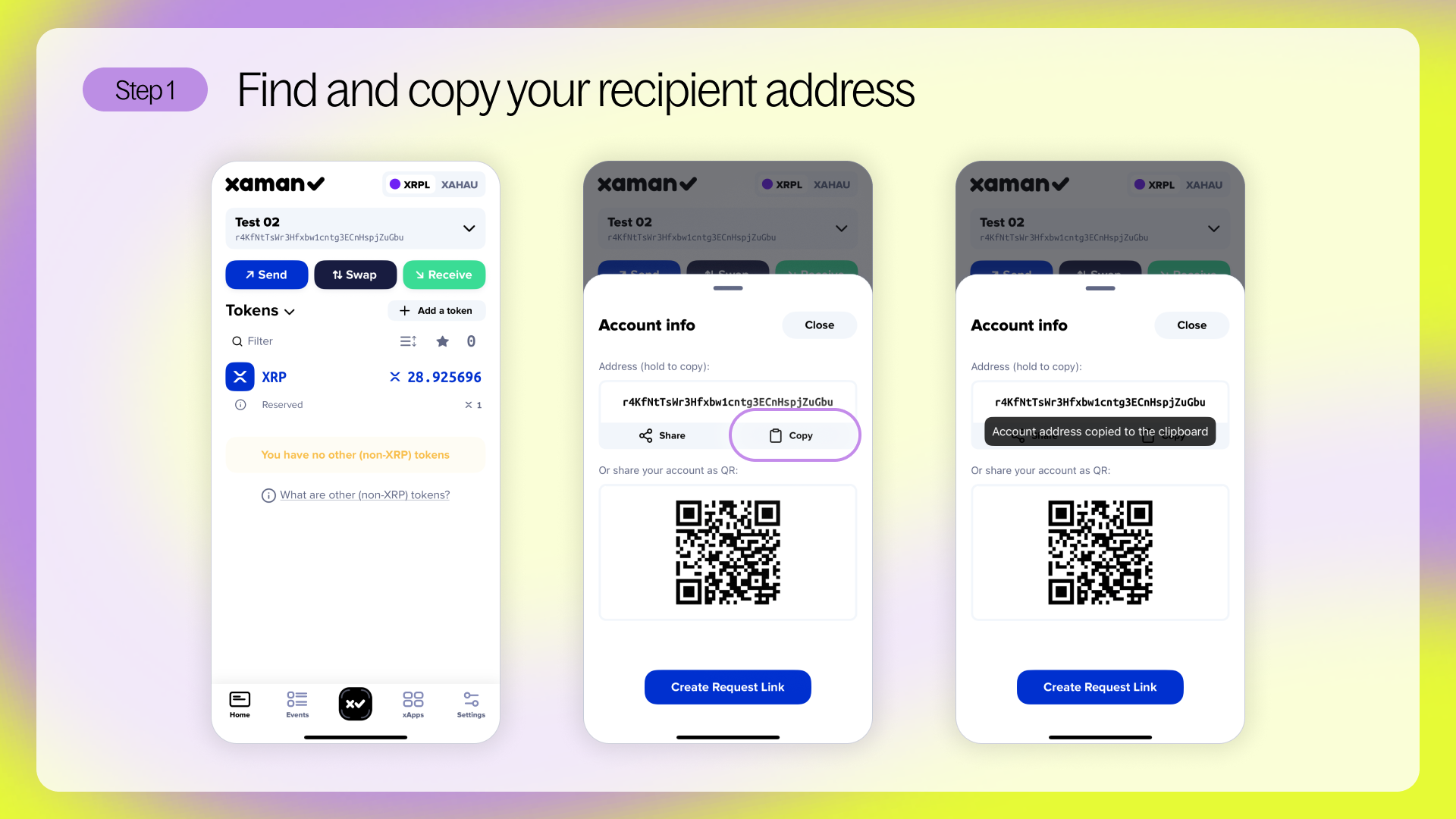
Step 1: In Xaman, copy your receiving address (Accounts → Receive → Copy Address).
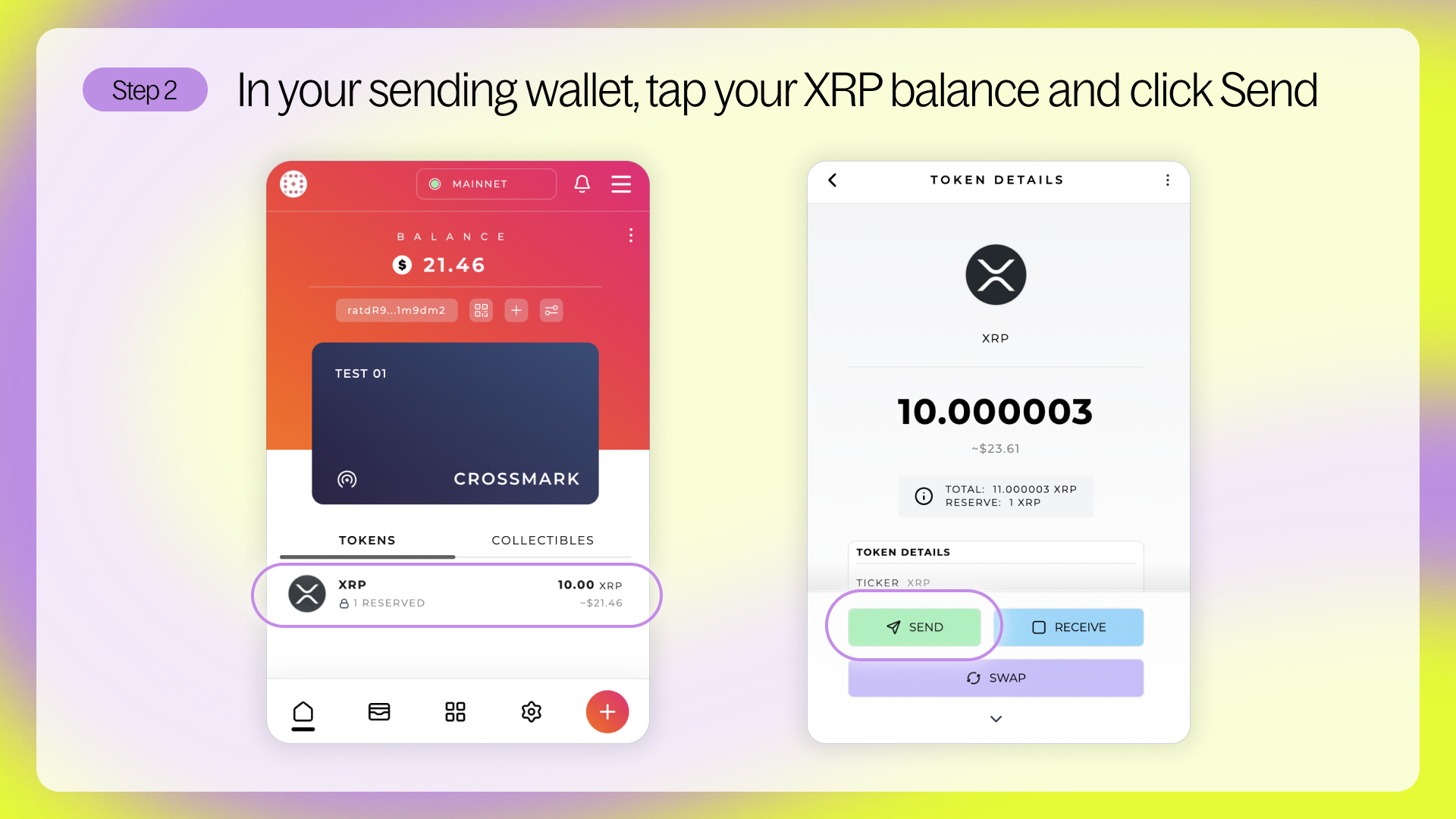
Step 2: Open Crossmark, click your XRP balance. and click Send
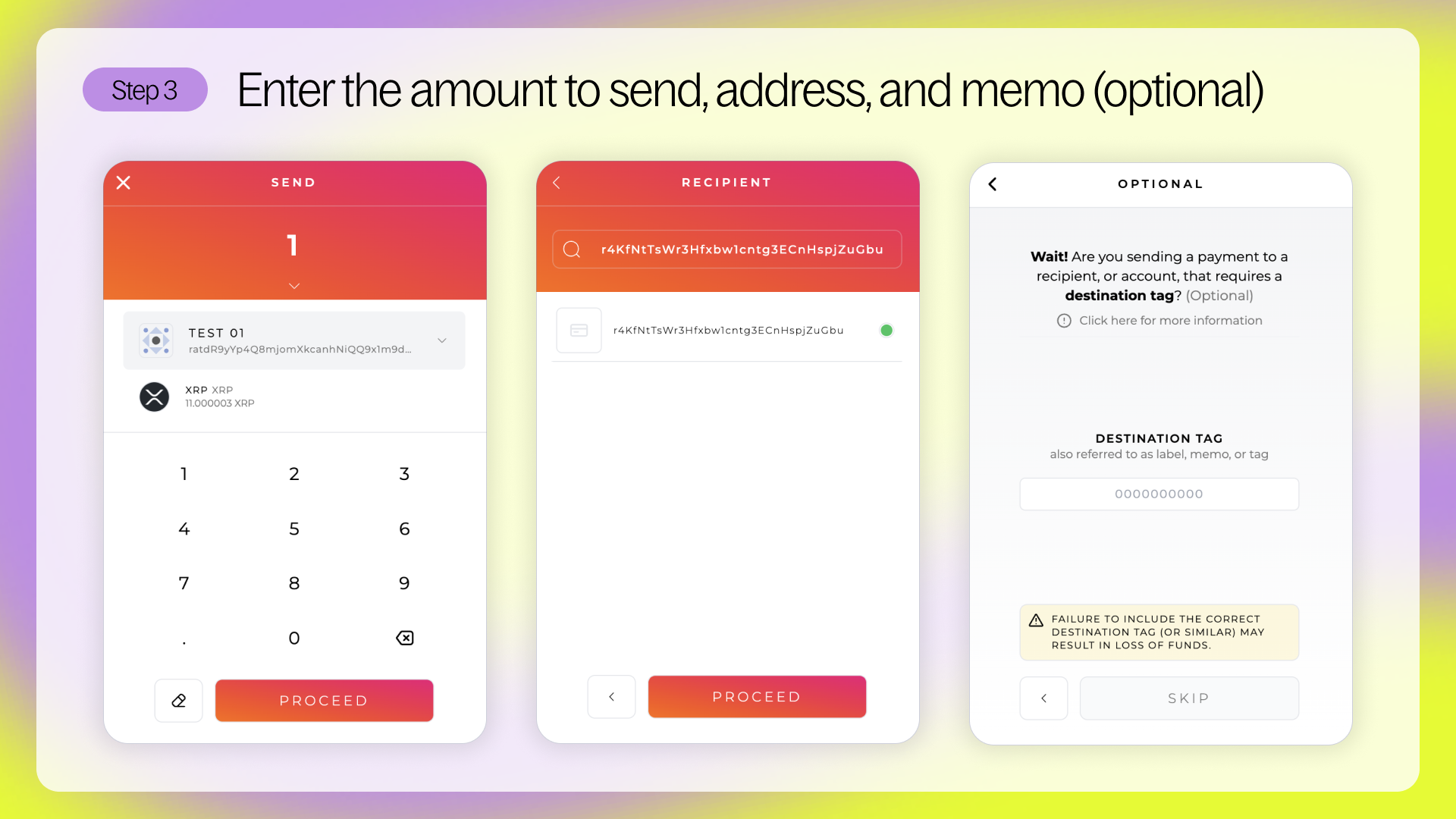
Step 3: Enter the amount you want to send, paste your Xaman address, and optionally add a memo (you don’t usually need one for sending between wallets).
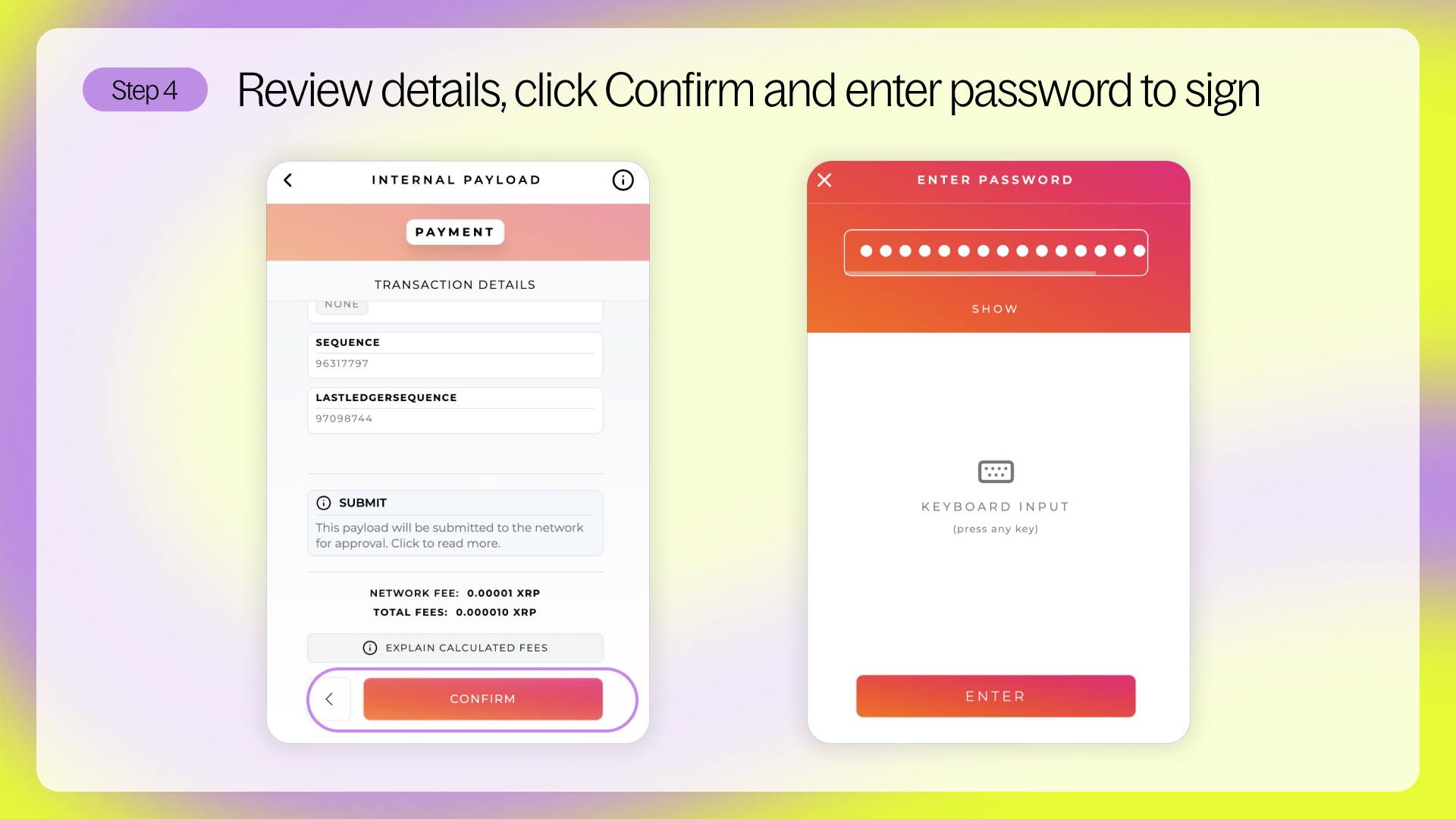
Step 4: Review the details, click Confirm and enter your Crossmark password
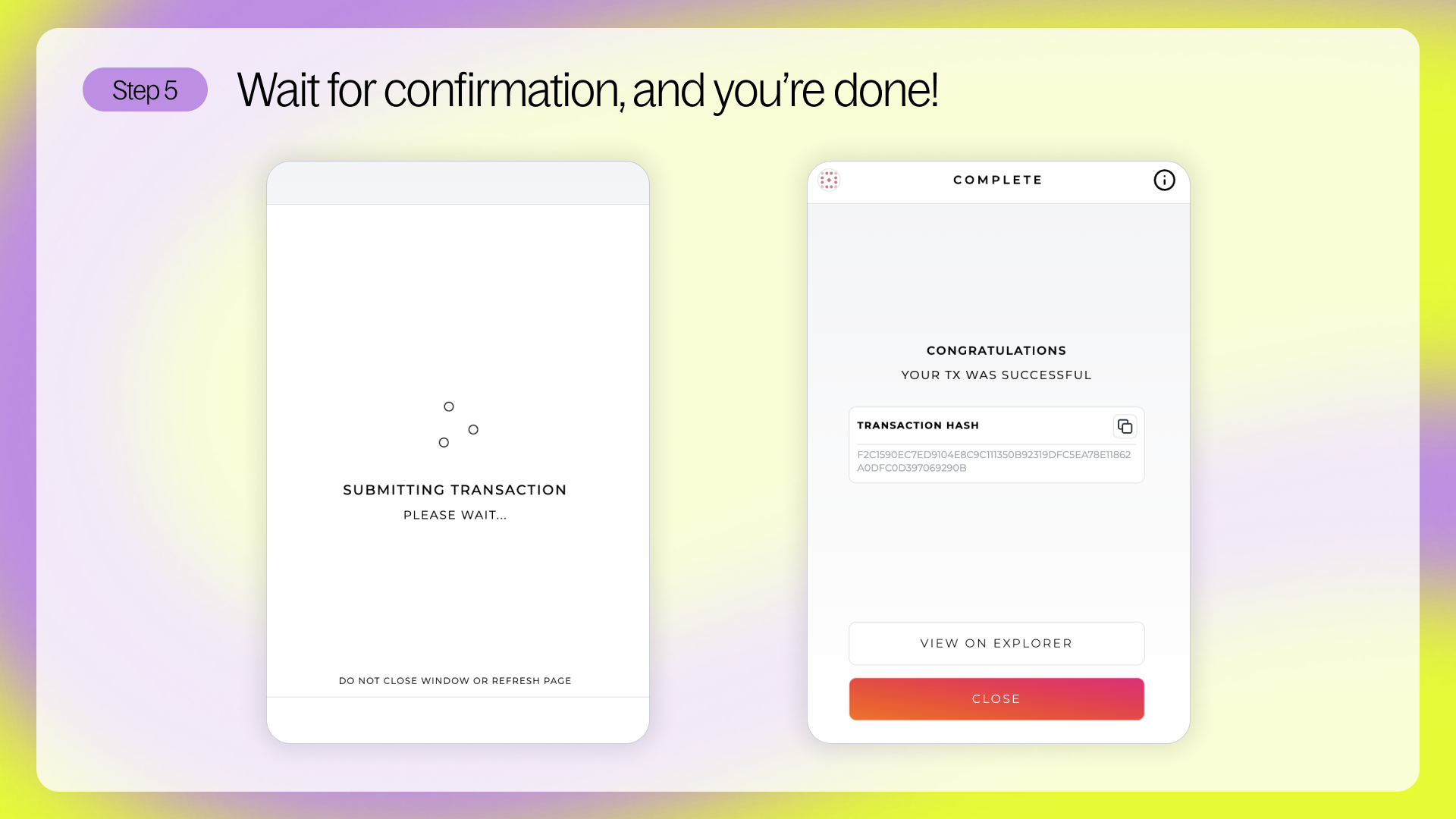
Step 5: You will receive confirmation in Crossmark when the transaction is complete!
Switch to Xaman and refresh - Your XRP will appear. If the wallet was brand‑new, 1 XRP will now show as Reserved to meet the base reserve.