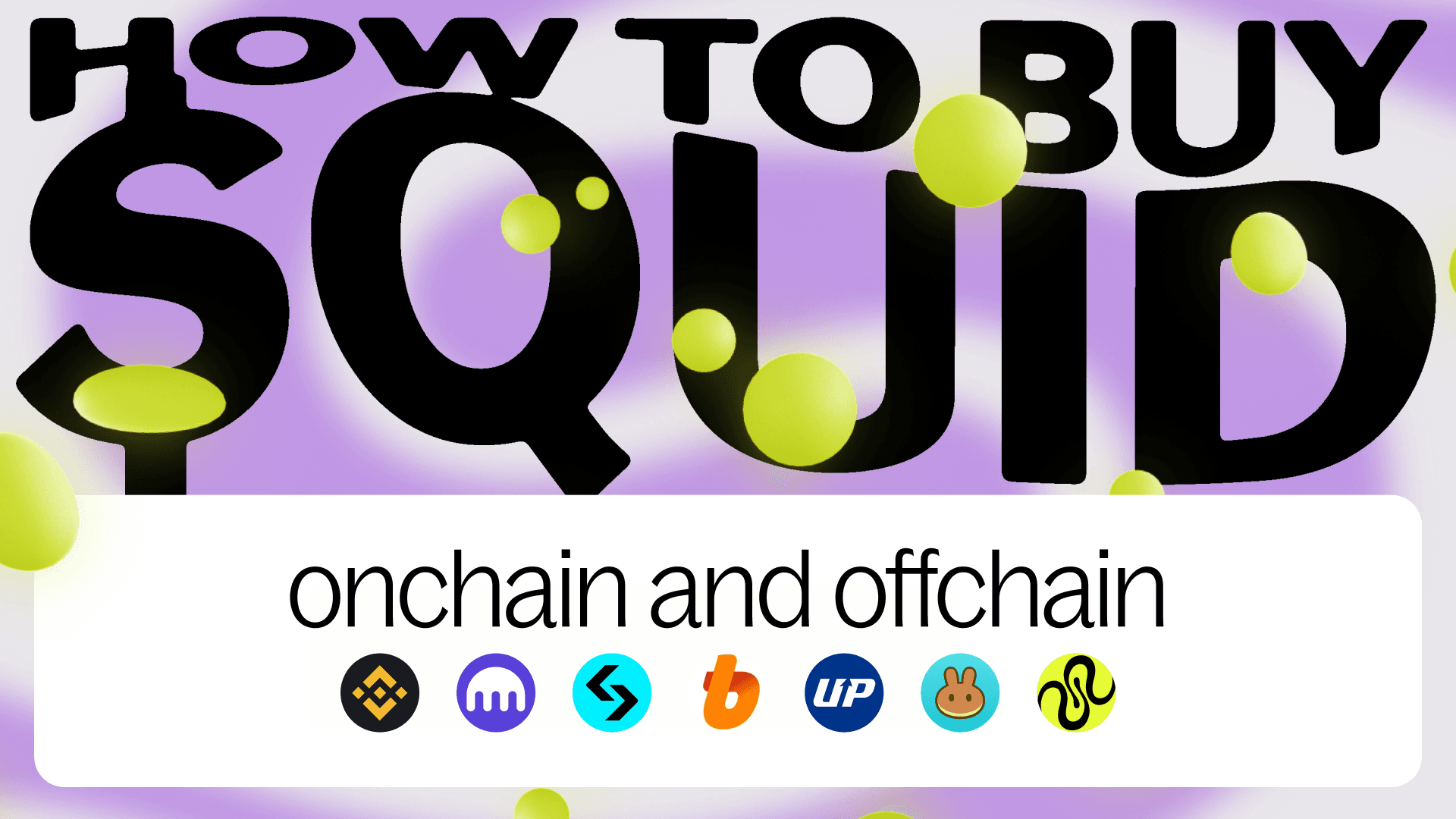
How to buy $QUID: onchain and offchain
What is QUID?
QUID is the native token of Squid, a cross-chain platform that enables access to 20k+ tokens across 100+ blockchains. QUID marks an important milestone for the Squid Ecosystem, which has been operating since 2023 and has processed over $6 billion in volume for more than 1 million users.
As the Squid Ecosystem continues to expand its product, ecosystem, and interoperability infrastructure, QUID is intended to support participation in and engagement with the Squid ecosystem.
How to buy $QUID
At launch, you can find $QUID at the following places:
How to buy $QUID On Squid
Swap into QUID using Squid
Whether you’re here to stake, hold, or just participate in the Squid ecosystem, getting QUID is the first step. This guide shows you how to do it smoothly with Squid.
How to buy QUID on Base from any chain
Bridge to QUID using popular tokens from EVM chains like Arbitrum, Ethereum, Base, Optimism, and more - all in one smooth swap on Squid.
Step 1 - Connect your wallet to app.squidrouter.com
Step 2 - Click the top chain and token dropdown to select the source chain you will be swapping from, and select the source token you will be using to swap.
Please note: your selected source token must already have an available amount in your wallet in order to swap, if it does not, you will not have sufficient funds.
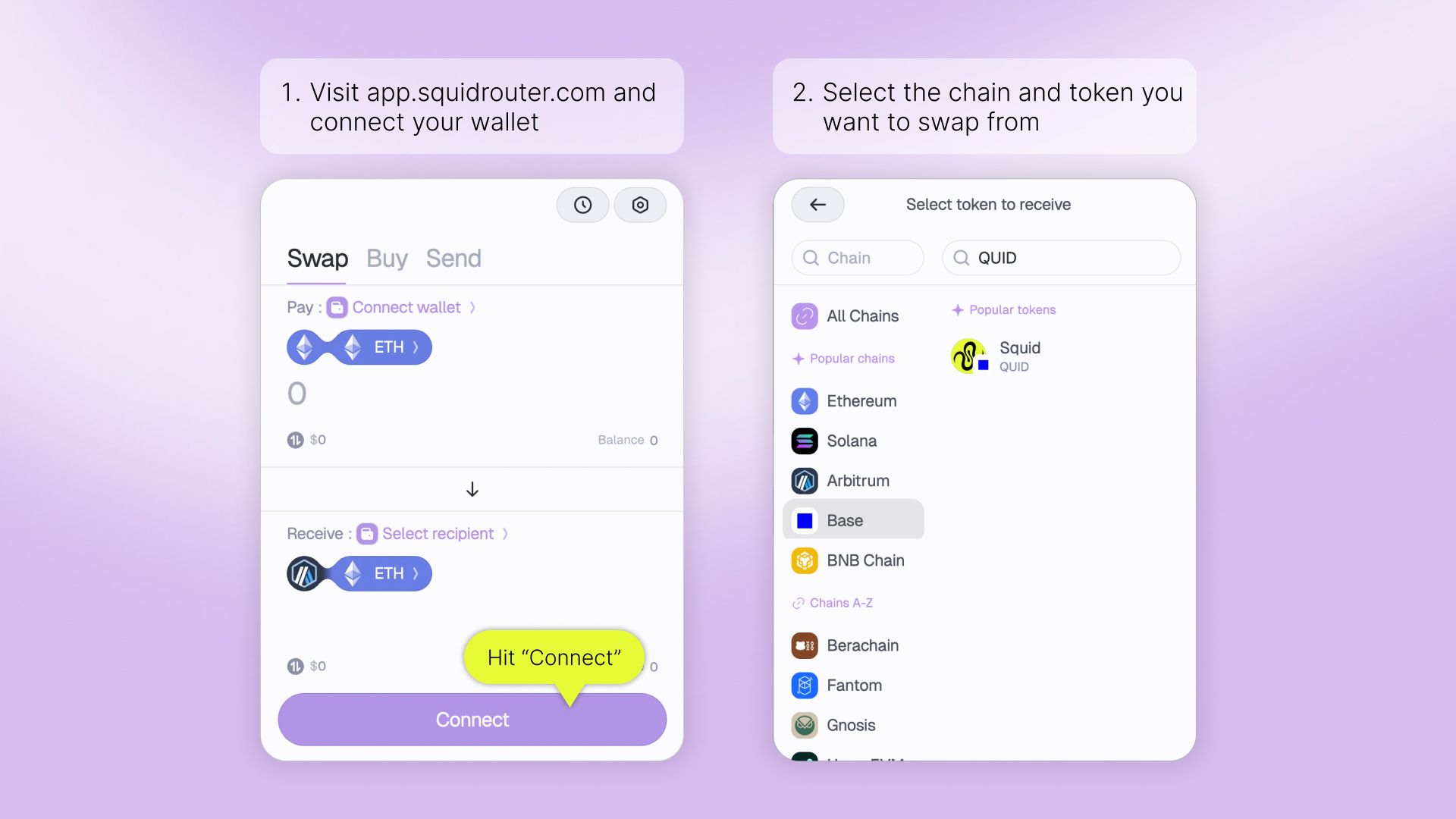
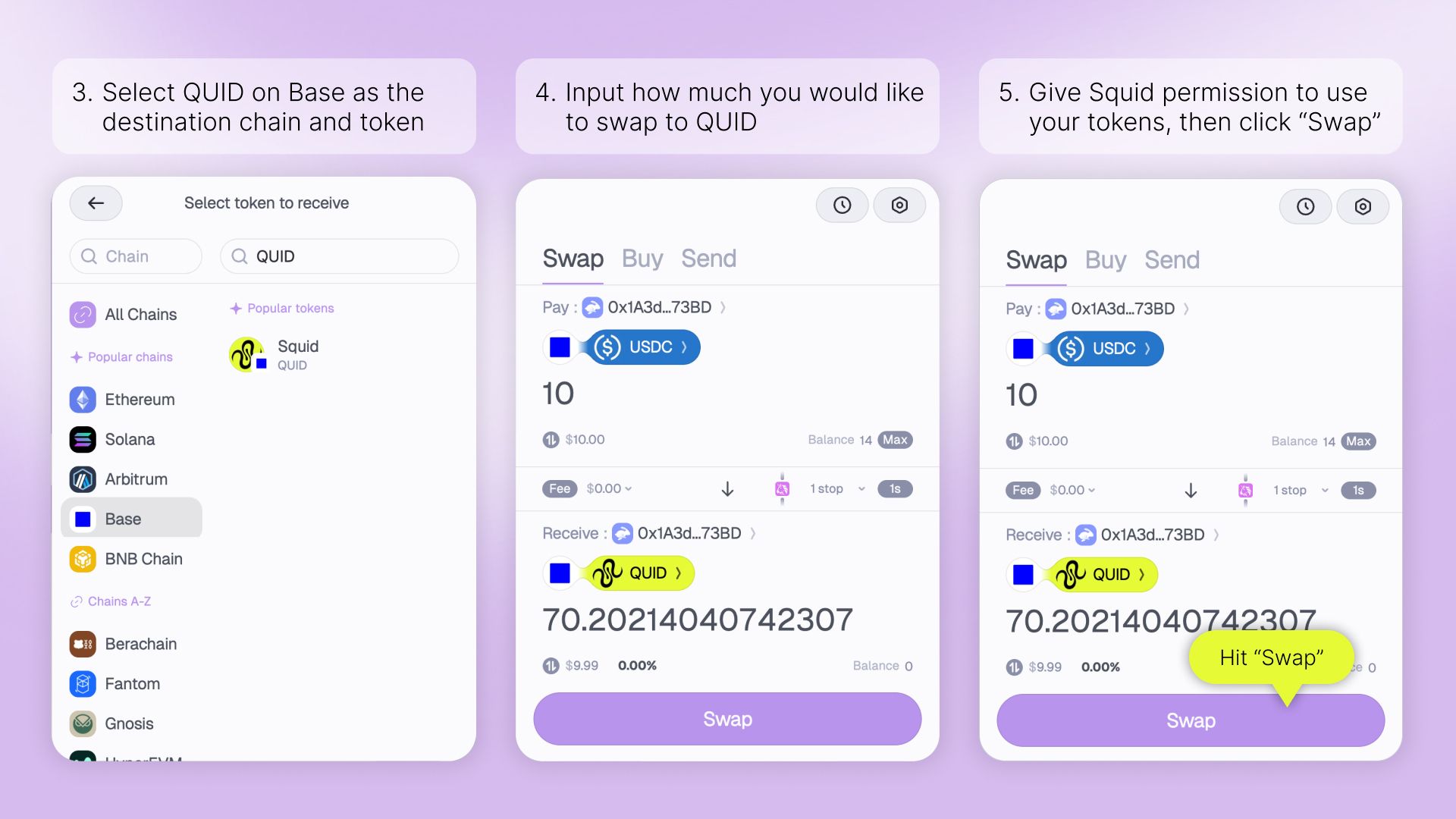
Step 3 - Now that you’ve selected your source chain and token, it’s time to select your destination chain and token.
To do this, click the bottom chain and token dropdown. Search or select QUID as your destination chain and QUID as your destination token.
Step 4 - Choose the amount of tokens you’d like to swap to QUID.
Step 5 - Click to give Squid permission to use your tokens if prompted, then click “Swap”.
Step 6 - Once you’ve approved your swap on Squid and in your wallet, you’ll be able to track your tokens in real-time. You’ll eventually receive confirmation that your transaction was successful.
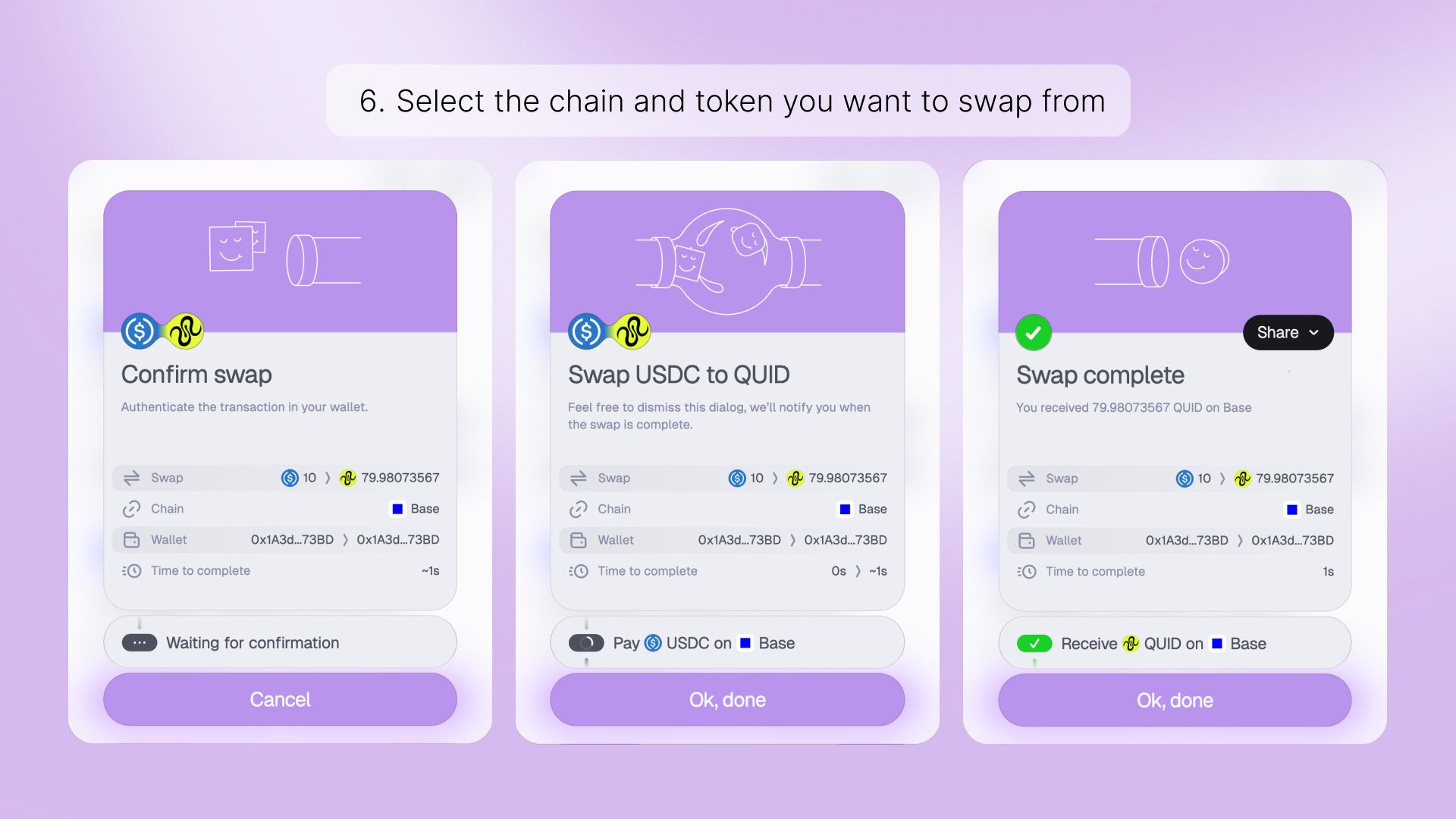
Congratulations, you now have QUID on BASE!